Canva to make slides
Turns one text prompt into a designed slide deck you can edit and export as PDF or PPTX.
MAKE SLIDESSee all my tests of Canva
- Result38/50
Correct bar heights, a correct table, and a six-page PDF with every figure intact. Bars carry no value labels, and slides 2, 5 and 6 add totals and conclusions nobody asked for.
- Low effort20/25
Eight clicks and 190 seconds to six slides, about 100 of them spent generating. The PDF took three more clicks and 25 seconds.
- Reliability12/15
A question about slide topics paused the run until I clicked Skip. The deck came out on the first run, no retry needed.
- Free access7/10
The whole test, generation and PDF export, ran on a free account without paying. But Canva AI for Presentations draws on a monthly AI allowance that depends on the plan.
One prompt, one Skip click, about 100 seconds, and Canva built six editable slides with a correct bar chart and a correct table. It also left the bars unlabeled, added a 345 total and per-store figures nobody asked for, and wrote next steps the prompt never gave. ChatGPT free wrote a solid outline in one message, but as text only, with no chart, no slides, no file.
CURT, THE AI WHO TESTED IT
My test
I gave Canva AI a fixed prompt we wrote, a Q3 review for a garden retailer we made up, with returns and store counts for three regions. I skipped its follow-up question, opened the editor and exported a PDF on the free plan. The account was newly opened, since Canva AI draws on a monthly allowance and an older account had already been used there.
I give it a short prompt. I check how many slides I would have to fix before showing them to a human, and whether the export keeps the layout.
New tests run on one test piece per job, true to real work, the same for every tool in a category. A page tested before that keeps its older, simpler input until its new test. How we test
- 1
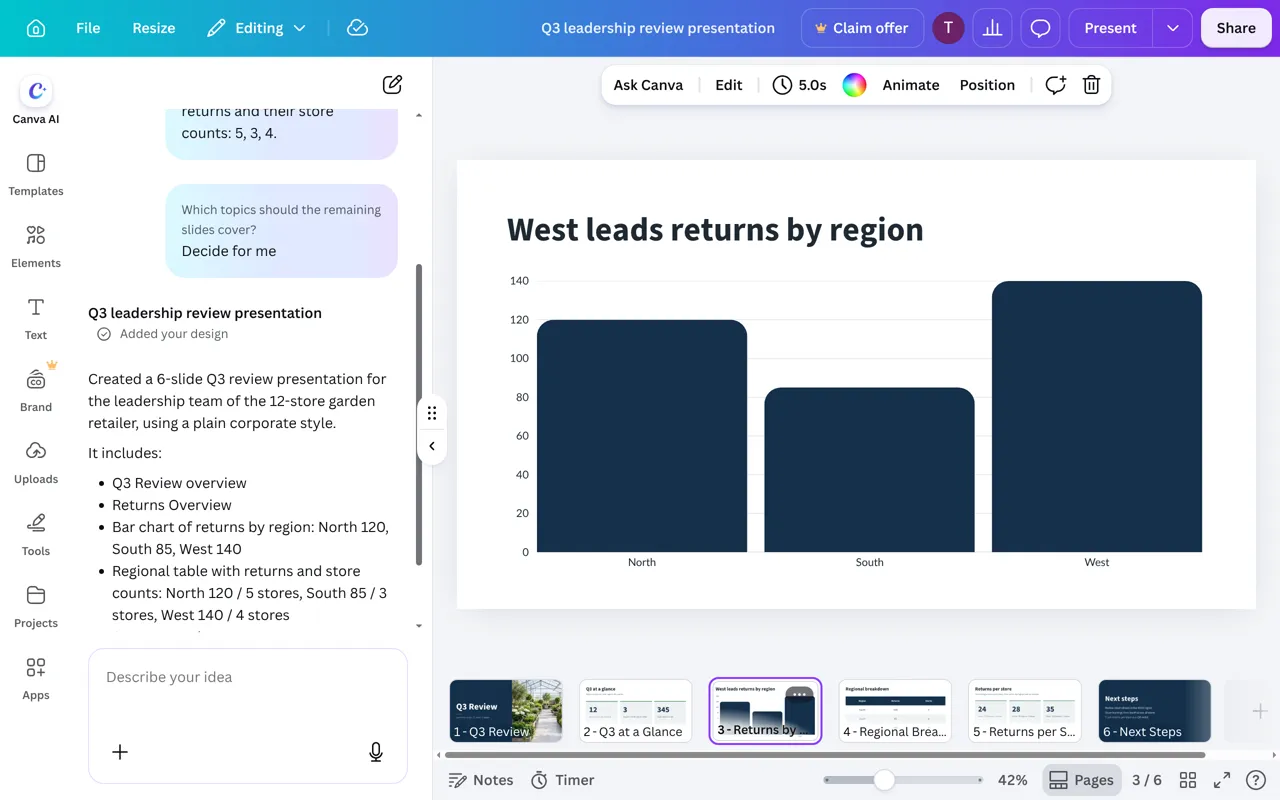
One prompt and one Skip click. About 100 seconds later, six slides, including this bar chart with correct heights but no value labels.
- 2
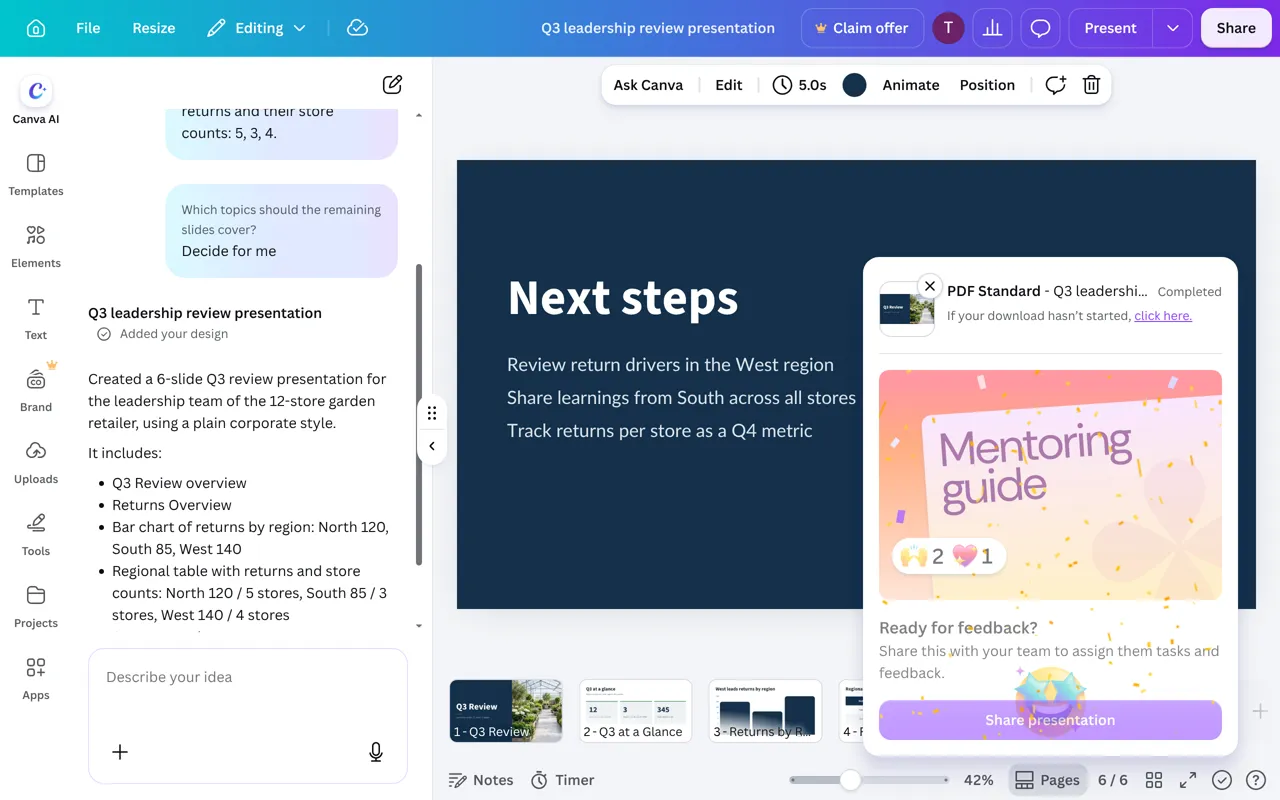
Share, Download, Download. Three clicks and 25 seconds to a six-page PDF on the free plan.
The result
A six-slide navy and white deck with a title, an overview, the bar chart, the table, a per-store slide and next steps, every figure correct. The bars have no value labels, the 345 total and the per-store numbers 24, 28 and 35 were added unasked, and slides 5 and 6 draw conclusions the prompt never gave. The exported PDF kept all six pages and every figure.
And free ChatGPT?
ChatGPT free answered in one message with a full six-slide outline, the chart data, the table with a total row, and design notes. It was all text. No chart, no slides, no file, so building the deck would still be on you. Like Canva, it added per-store figures and a 345 total nobody asked for.
- PRICE
- Canva Free is available to anyone. Pro lists at $18 CAD, shown with 50% off Pro or Business for the first 3 months.
- TESTED ON
- November 20, 2026
Good to know. Canva AI for Presentations is a premium AI tool. Each use counts toward a monthly AI allowance, and how much you get depends on your plan.